A real walkthrough from opportunity research to a published app. We use FeixieAI to choose a narrow problem, write an actionable brief, generate an application, check its workflow, and publish it. The example is PawPilot, an appointment and pet-record tool for a small grooming studio.
Screenshots show the actual Chinese interface. Pet names, appointments and operating records are fictional demonstration data. Service prices are not actual payments. Demand and pricing still need validation with real customers.
See the result · Explore · Write the brief · Generate · Verify · Monetization · Publish
The result: follow one booking through completion
The owner receives a booking in WeChat, records the pet, service, groomer and time, then tracks the appointment through completion. Conflicting bookings must be rejected. Completed services feed pet histories and the operating summary.
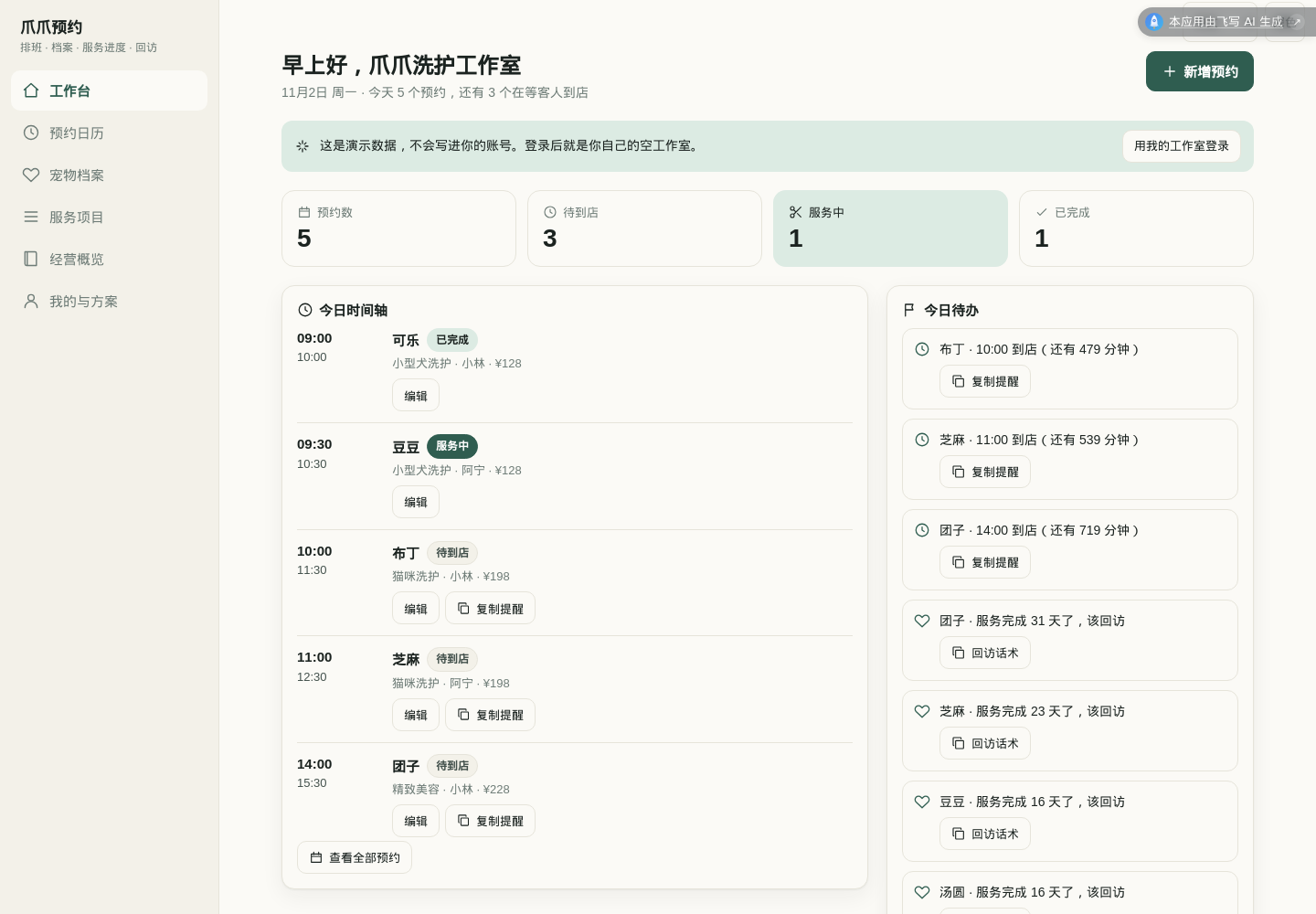
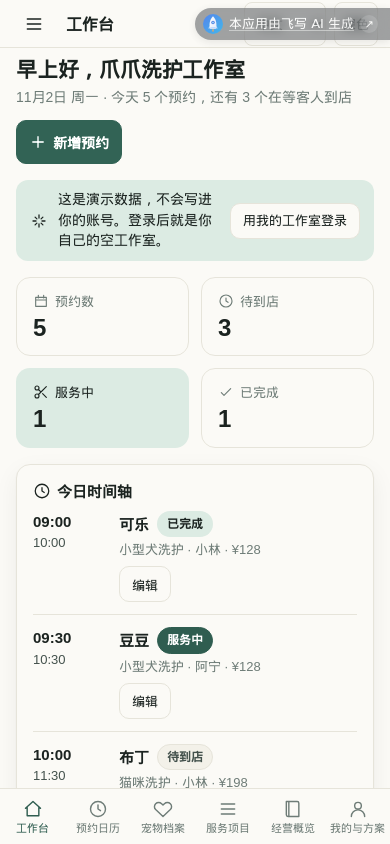
Try the published PawPilot example →. Click any screenshot to view its original size.
The first release uses one owner account. Groomer names are scheduling resources, not separate employee accounts. Collaboration, automatic WeChat messaging, payment reconciliation, AI duration estimates and OCR are outside this version.
01 | Start with opportunity exploration
Open FeixieAI and choose 「不知道做什么?AI 帮你挖商机」 below the creation form. Continue past the introduction if shown.
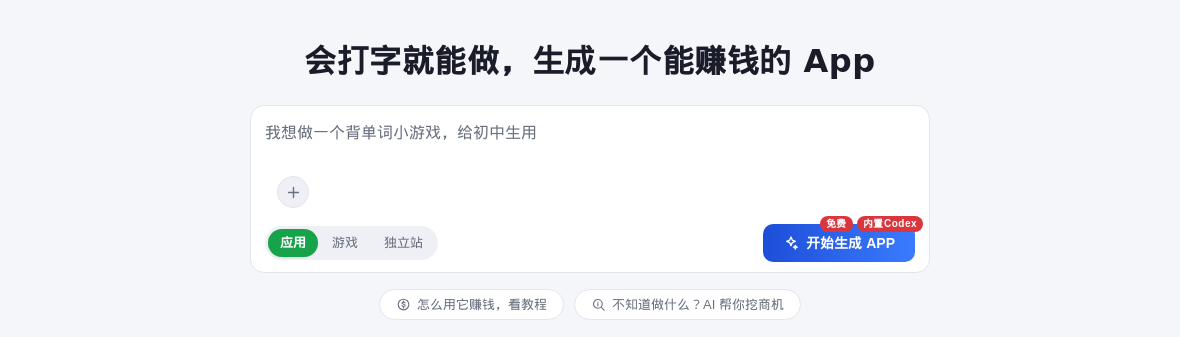
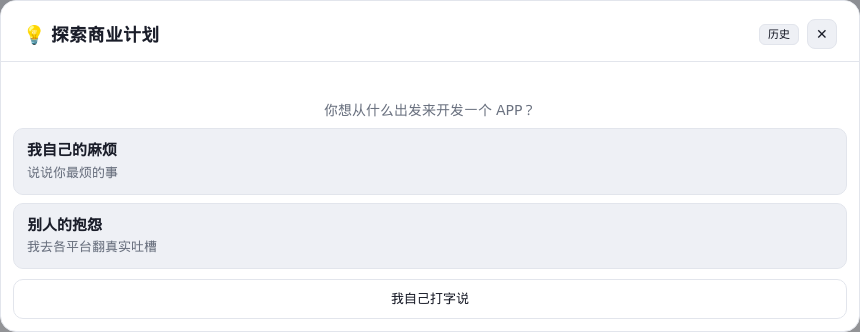
I want to build an app for independent grooming studios with 1–5 people.
Bookings arrive in WeChat, service durations vary, and pet records are scattered.
Find verifiable demand signals and competitors. Suggest three narrow opportunities.
Explain the user, problem, current workaround, differentiation hypothesis,
and how to find the first five testers. Do not invent market size or revenue.
A useful opportunity identifies who encounters a problem, when it happens, how they cope today, and why they might switch.
02 | Verify the suggestions before choosing a direction
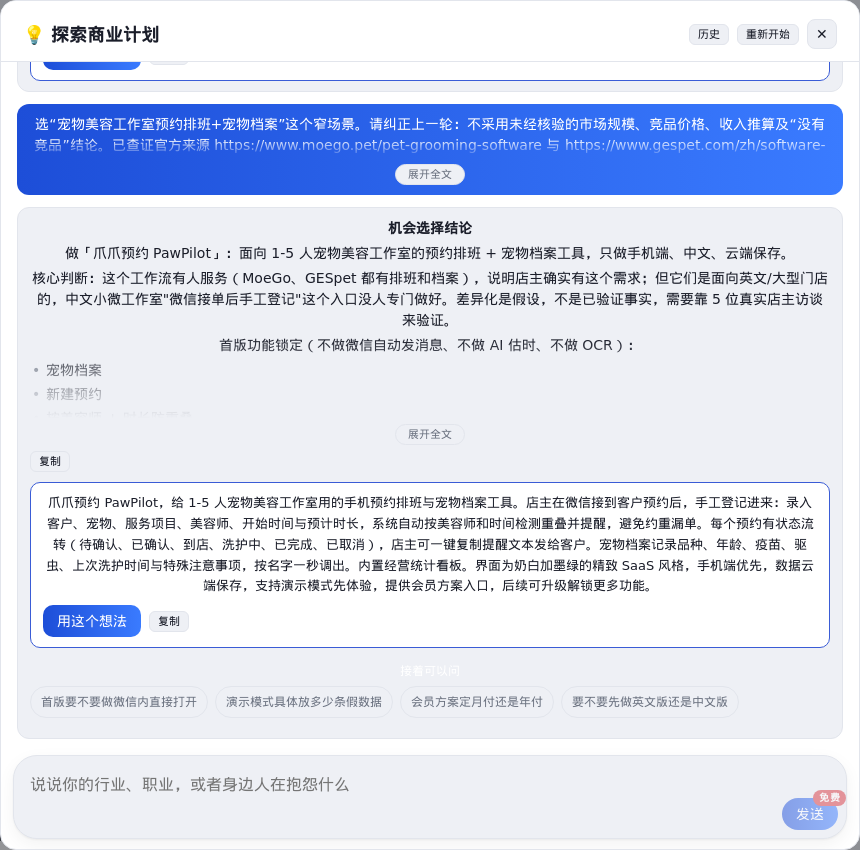
Exploration suggested scheduling, missed-booking prevention and pet records. We excluded unverified market-size estimates, competitor prices and revenue projections from its first answer. We also rejected the unsupported claim that there were no competitors.
The official MoeGo product page and GESpet Chinese overview confirm that existing products address appointment and pet-record workflows. This establishes a product category, not demand for our particular app. GESpet has a Chinese page, so the AI's generalization about competitors' languages is also unreliable. Checked November 2, 2026.
Our hypothesis became a simpler Chinese mobile workflow for small studios that manually register appointments received in WeChat.
Find five actual owners. Observe their current method, ask about the last scheduling mistake, and watch them enter a fictional appointment. Record hesitation and missing fields. Ask about willingness to pay after the experience, without suggesting an answer. We do not claim these interviews or any sales have already happened.
03 | Write an executable brief
Choose 「用这个想法」, keep 「应用」 selected, expand the brief, then choose 「开始生成 APP」.
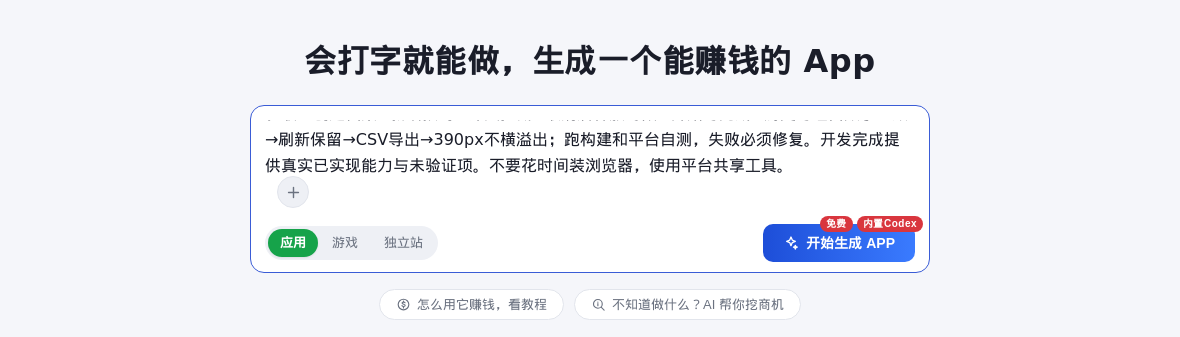
- Workflow: create a pet record, book a service, reject overlaps for the same groomer, complete service, and update history.
- Design: cream and forest green, consistent line icons, readable dashboard cards, desktop navigation and a usable phone layout.
- Data: separate demonstration and personal records; persist personal data in the cloud and isolate accounts.
- Commercial scope: keep core bookings and records free, offer an upgrade for advanced reporting, and copy reminder text rather than pretending to send messages.
Clear hierarchy, useful empty states, no mobile overflow and accessible dialog actions are more useful criteria than “make it look premium.”
04 | Confirm the important decisions
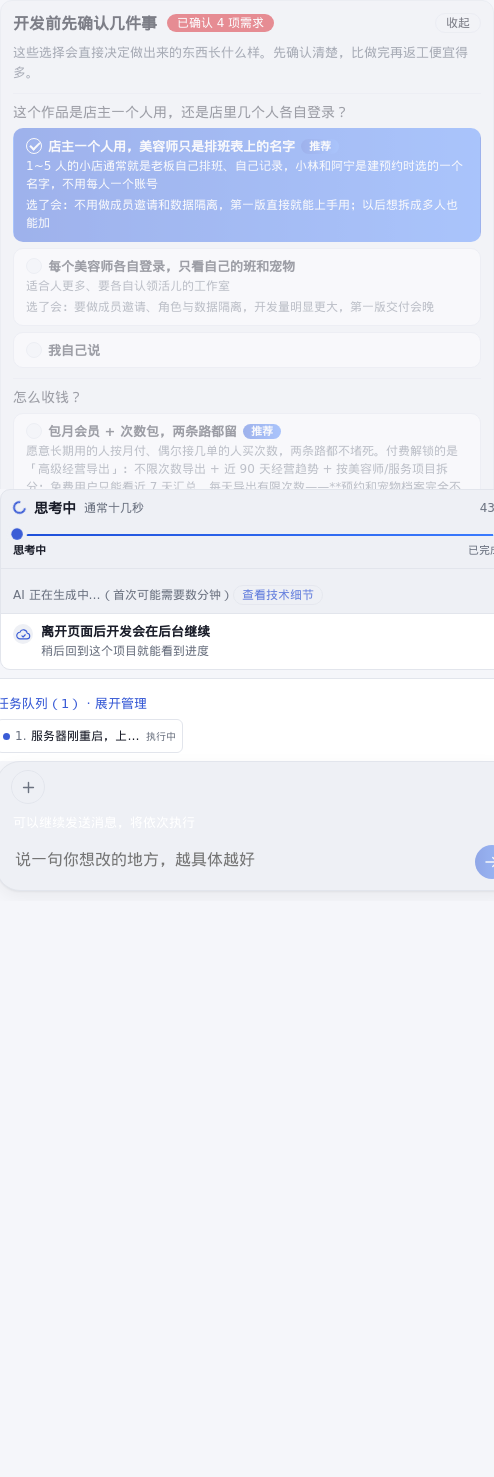
We selected one owner account, monthly membership, three free advanced-report exports per day and no referral reward. ¥20/month is an example membership configuration to validate later. Basic bookings and records remain available.
Choose 「确定,开始开发」 and follow progress in the project conversation. Answer further questions as needed. After an interruption, continue the existing project rather than creating a duplicate.
05 | Test a complete appointment
Use fictional information for acceptance and public screenshots.
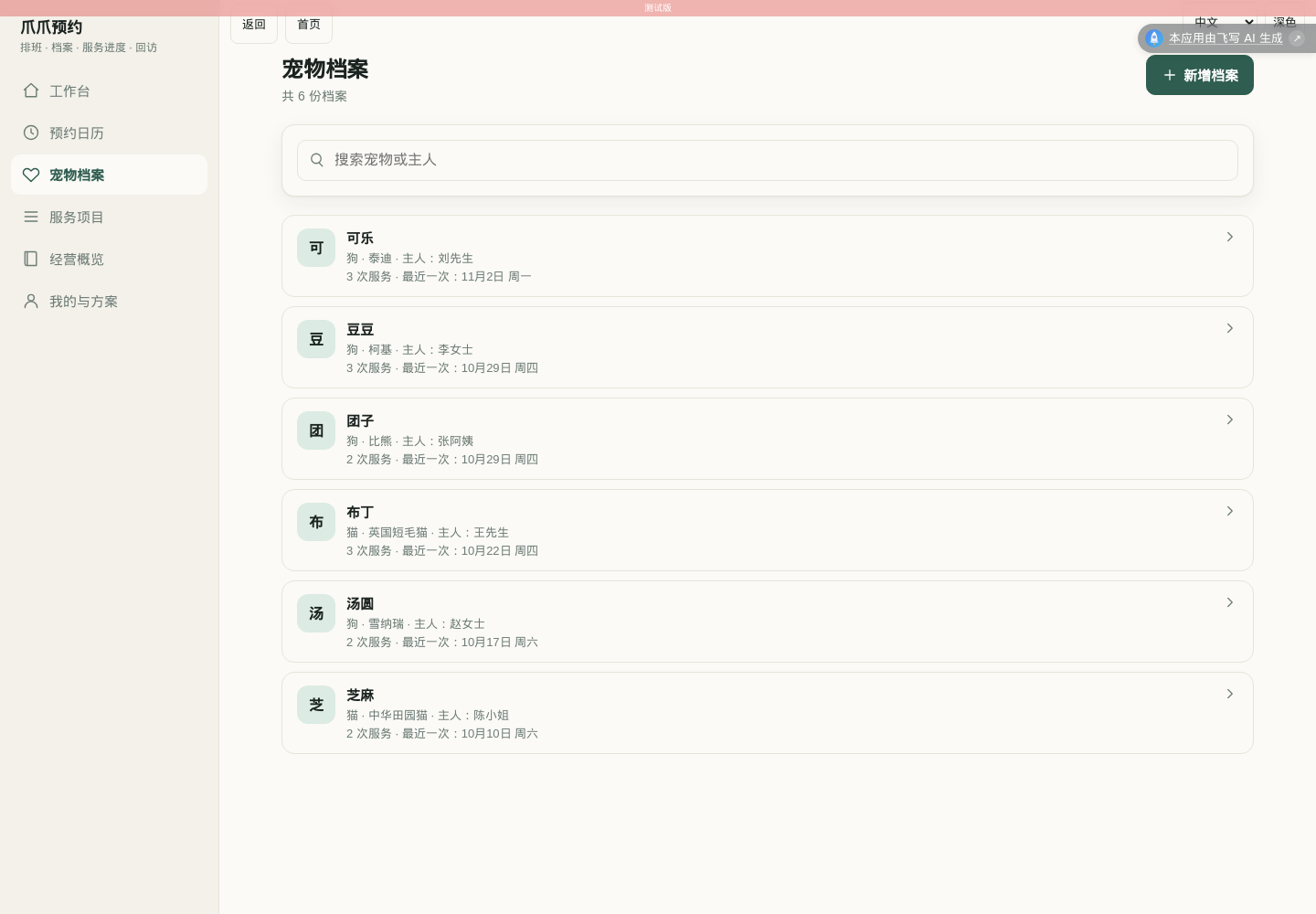
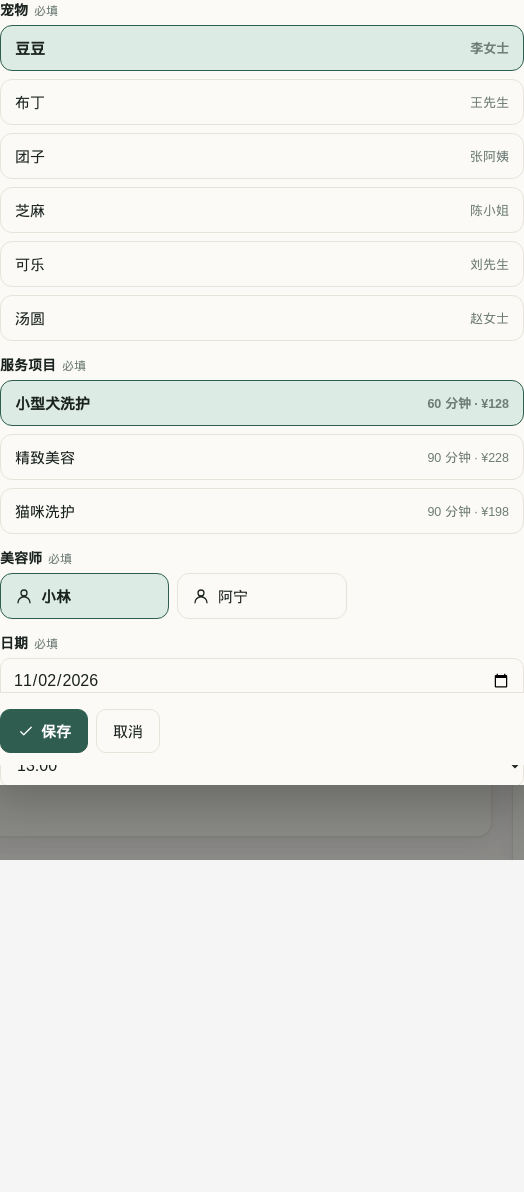
Fields should reduce repeated questions and searches through chat history. Do not add fields simply to make the app appear more complex.
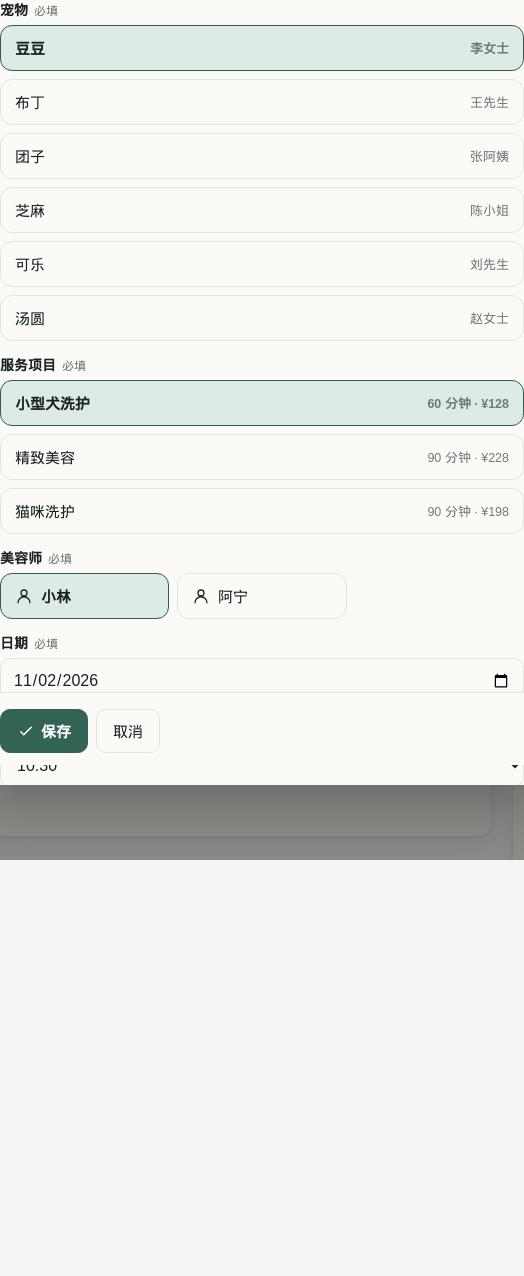
Create a 10:00–11:00 booking, then try 10:30–11:30 for the same groomer. It should fail. An adjacent 11:00 booking should work. Canceling the original should release its slot. Editing must apply the same rules.
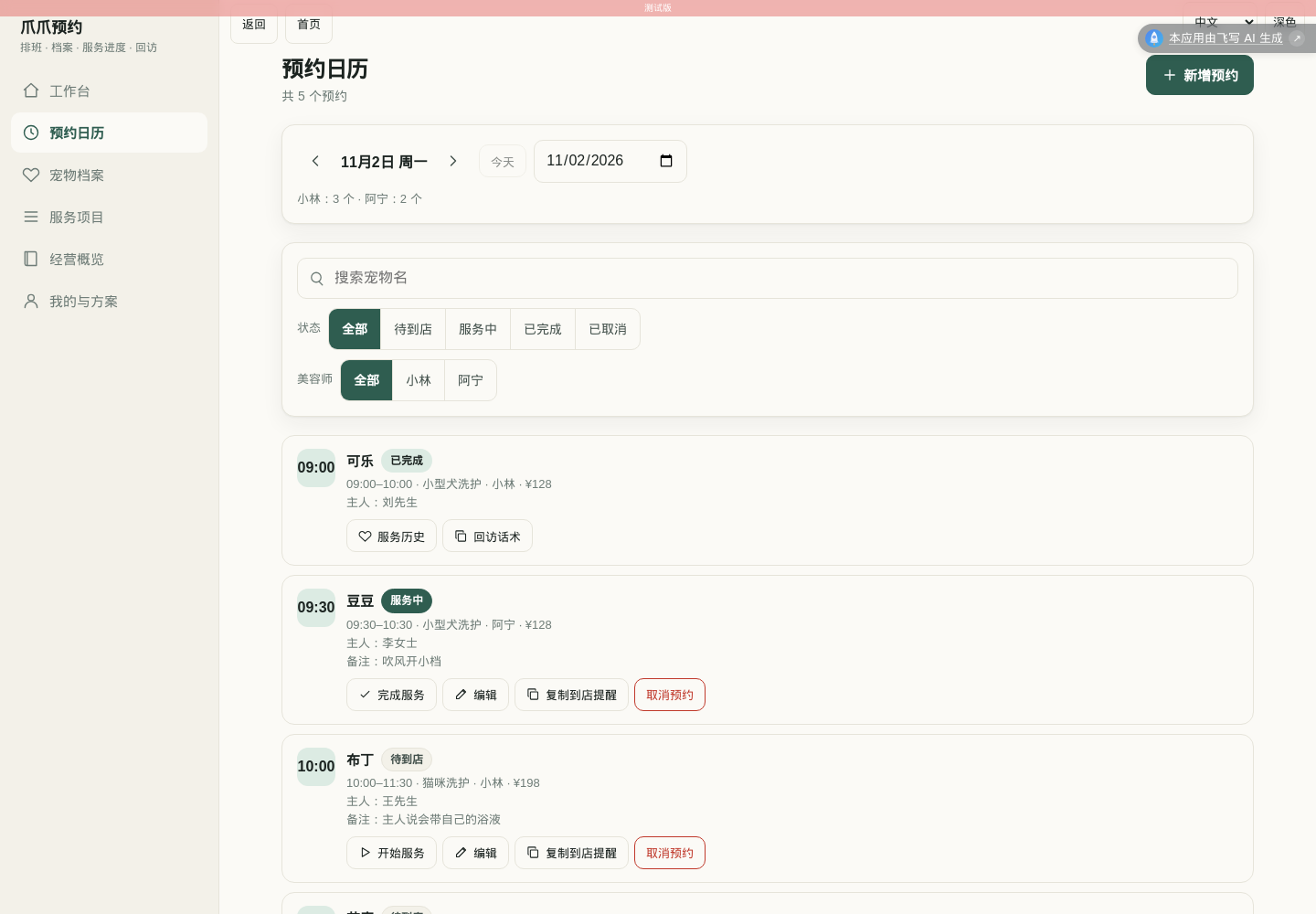
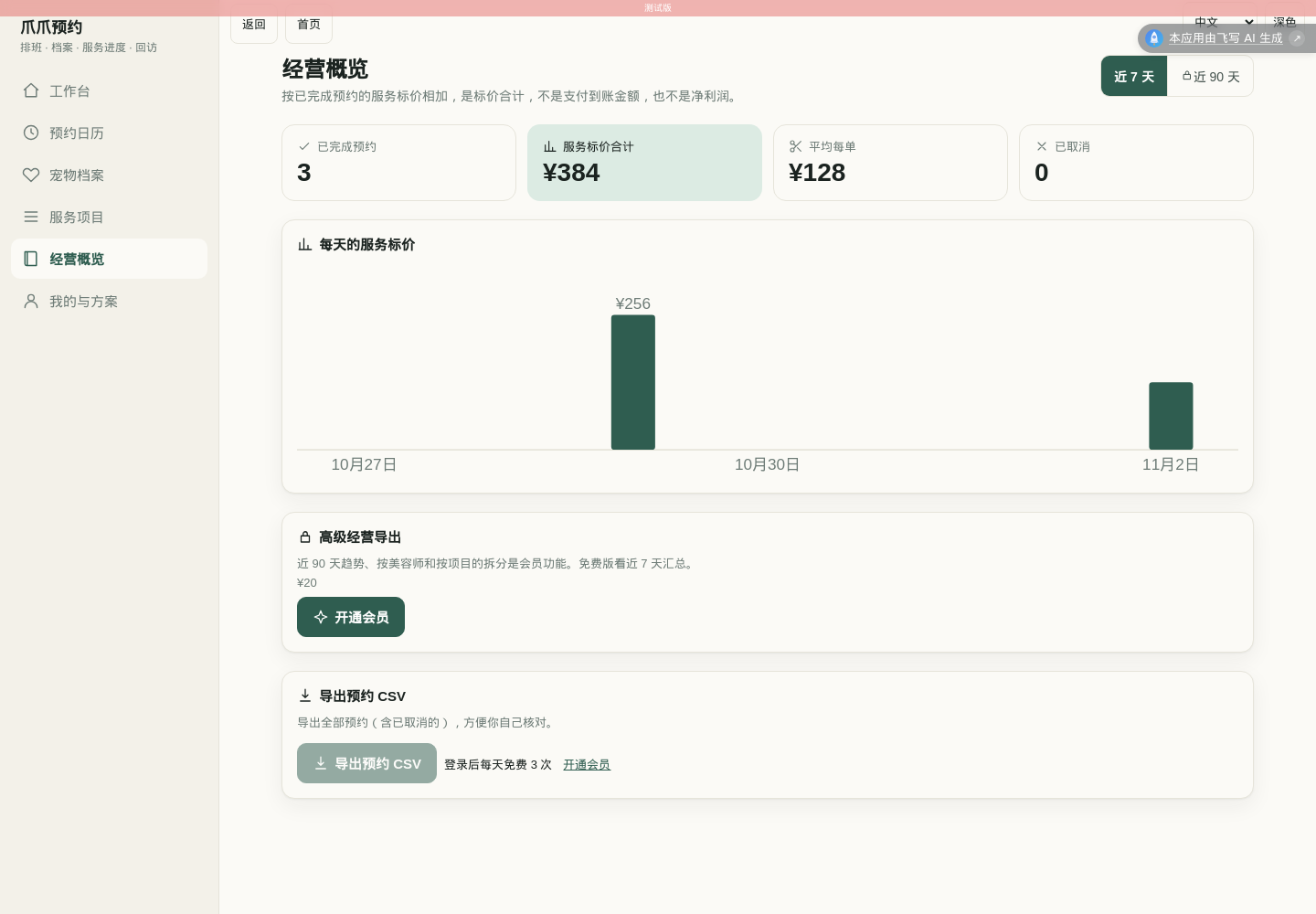
Move one booking from waiting through in progress to completed. Check the pet history and summary, then reload the personal workspace to verify persistence. Totals must be traceable to records.
The case passed 68 platform self-tests with zero failures and 17 independent business-rule checks. Browser acceptance covered record creation, booking, overlap rejection, persistence after reload, service progression, matching history and totals, and isolation between test accounts. A CSV was downloaded and its contents checked. The 390px phone view and form had no horizontal overflow, and the save button remained within the viewport. Light/dark switching worked on desktop and mobile without page errors. Published v1 opened in a signed-out browser.
06 | Connect the upgrade to useful value
Example grooming prices such as ¥128 and ¥228 are separate from the application's membership price.
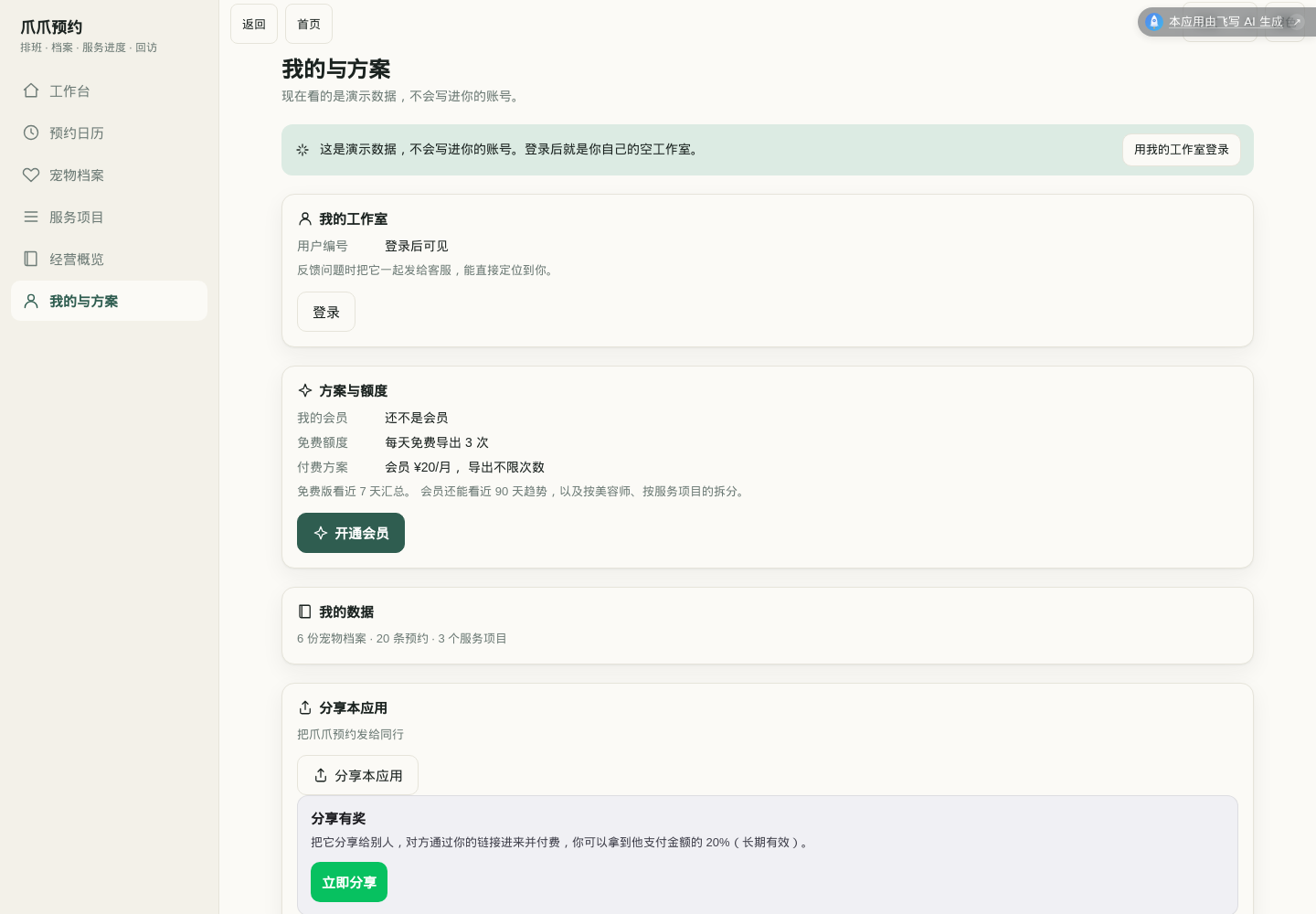
Let owners use the daily workflow first, then offer advanced exports and detailed reporting. ¥20/month is a pricing experiment, not evidence of revenue. Verify price, billing period and allowance against configuration. Membership must come from actual platform entitlements, not a browser-only flag.
Pricing, free allowance and entitlements are integrated with the platform and covered by configuration and entitlement tests. A test account’s membership correctly enabled advanced features. No real WeChat or PayPal payment was made; real-device checkout, refunds and settlement remain unverified and must be checked before charging customers.
07 | Publish and observe a first-time user
Use the project publish entry and inspect review, build and publication results. Open the production link in a signed-out browser and at a phone viewport. Development previews are for acceptance; the article links to production.
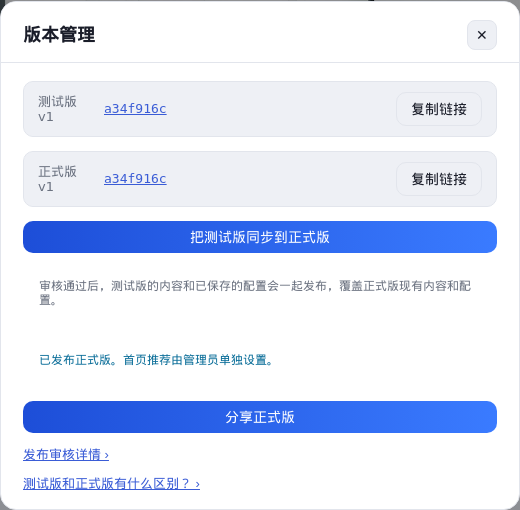
Invite an owner to enter one fictional order while you observe. Record whether they complete it unaided, where they hesitate, and what would make them return tomorrow. No outreach messages were sent for this tutorial.
Request focused changes in the original conversation: “On a phone, the completion button is too far down the appointment card. Make it easy to find, preserve cancellation confirmation, and check the 390px layout.”
Reusable first-version prompt
Build PawPilot for a small independent grooming studio. One owner manages
pet records, services, groomers and bookings. Use cream and forest green,
consistent SVG icons, responsive layouts and light/dark themes.

Create a pet record before booking. A booking selects a pet, service, groomer,
time, duration, price and notes. Reject overlapping active bookings for the
same groomer and appointments outside 09:00–19:00. Adjacent slots are valid.
Canceled appointments release their slots. Recheck edits. Confirm deletion.

Track waiting → in progress → completed. Show service history per pet.
Compute summaries from records. Distinguish price totals from money received.
Copy reminder text for manual sending and support safe CSV export.

Separate fictional demonstration data from personal cloud records. Use platform
login and per-user isolation. Reload must retain personal records. Personal
workspaces start empty. Use platform test identities, not the author account.
Keep bookings and records free. Integrate real platform entitlements and checkout
for advanced reporting when available; explain anything not enabled.
Do not make real purchases during acceptance.

Check record creation, booking, overlap rejection, cancellation and slot reuse,
service completion, history and totals, reload, export and the 390px layout.
Build, run self-tests, fix failures, and report verified and unverified behavior.
Common questions
Do I need to write code?
This walkthrough uses exploration, plain-language requirements and the project conversation. You still need to understand the business process and inspect data access and payment behavior.
Why start with copied reminders?
Automatic messages need a working channel integration and verifiable delivery. A clearly labeled copy action provides useful behavior now.
What counts as finished?
A production link opens, the correct user can save and reload data, important errors are prevented, the phone layout works, paid features are explained, and verified and unverified items are documented. Observing a real user then guides the next improvement.
Better than reading: build one Generate your first product with one sentence. Free to start.
Start Building→